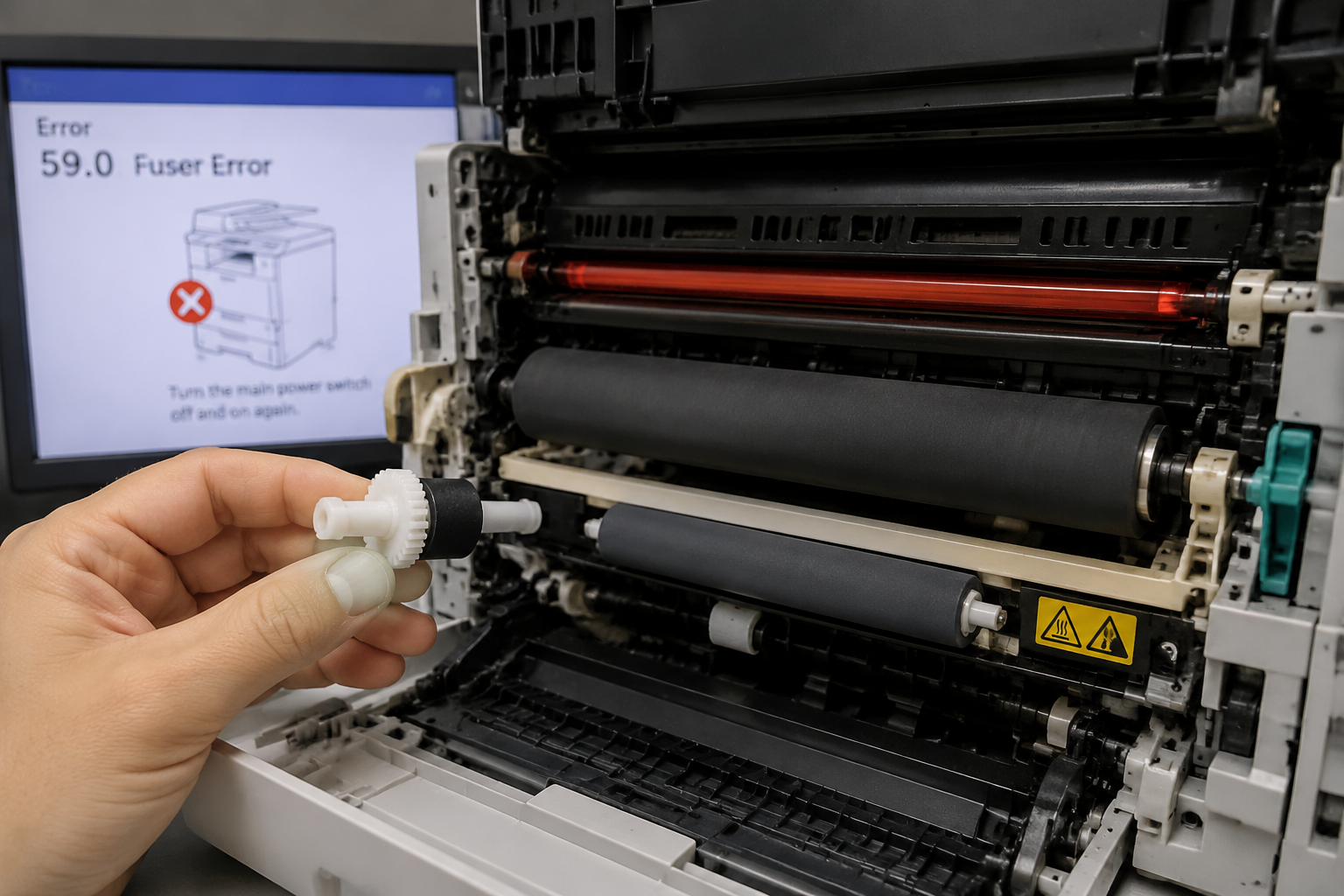
When your printer shows a Fuser Malfunction error, leaves behind wrinkled or smudged prints, or stops mid-job with a burning smell, the fuser assembly is the likely culprit. This guide gives you step-by-step diagnosis, explains why fusers fail, and tells you exactly how to fix it—whether you DIY or call a pro.
What’s Happening — Symptoms in Detail
Your printer suddenly won’t print. Here’s what you’re experiencing:
- Error Codes on Screen: Models like HP LaserJet show “59.0 Fuser Error” or “LSU/Fuser Error”. Brother printers display “Fuser Error” or “Maintenance Fuser”. Samsung shows “Service Error Fuser” or [#A1-XXXX].
- Paper Jams at the Fuser: Paper stops partway through, often with a crumpled or torn edge. The jam clears but returns on the next page.
- Wrinkled or Smudged Prints: Toner doesn’t fuse properly—ink rubs off, or you see vertical streaks. Prints may feel sticky or wet.
- Burning Smell: A sharp, hot plastic odor appears. The printer may shut down to prevent fire.
- Loud Grinding Noise: Gears inside the fuser slip or bind, especially during warm-up.
When does it happen? Some users trigger the error on startup during the fuser warm-up cycle. Others only see it after printing several pages, as heat builds. A sudden failure (after a paper jam or power surge) is common, but gradual wear (over months) also occurs.
How does it progress? Often, intermittent jamming or light smudging appears first. Over a few weeks, the error becomes more frequent until the printer refuses to print at all. In less common cases, the fuser fails all at once—usually a broken heating element or blown thermistor.
Why This Happens — Root Cause
The fuser assembly uses heat (from a halogen lamp or ceramic heater) and pressure (from a rubber pressure roller) to melt toner into the paper. Failures happen when either system degrades.
Pressure Roller Damage: The rubber roller gets flat spots from idling or overheats and becomes brittle. A flattened roller causes uneven pressure, leading to wrinkled paper and poor toner adhesion. This is common on HP M402 and Brother HL-L2300 series after 50,000+ pages.
Heating Element Burnout: The lamp or ceramic heater breaks due to thermal cycling (expansion/contraction). This often shows as a “Fuser Error” on startup because the thermistor reads no temperature rise. Common on Samsung CLX-3305 and Lexmark MS810.
Thermistor Failure: The sensor that monitors temperature can drift or short. It may read too high (printer shuts down to prevent fire) or too low (printer never finishes warm-up). Error codes like 50.1 (HP) point to thermistor issues.
Fuser Film Tear: In some models (e.g., Canon imageCLASS), the fuser sleeve or film tears from paper debris. This causes marks on every page.
Gear/Bushing Wear: Plastic gears and bushings melt or crack from friction. The upper fuser roller gear with bushing (#1 in parts list) is a common $1.07 failure point on Brother HL-2270DW printers. A stripped gear produces a grinding sound during rotation.
Exacerbating Conditions: High humidity (paper moisture expands rollers), low humidity (static discharge damages electronics), heavy cardstock (excessive pressure), dust (acts as abrasive on rollers), and repeated jams (forcing paper out tears the film).
Specific Model Known Issues:
- HP LaserJet Pro M402: Pressure roller flattening after 60k pages.
- Brother HL-L2300: Upper fuser roller gear bushing (JC66-03080A) cracks under heat stress.
- Samsung CLP-315: Thermostat (PTC) fails open, causing “Fuser Error” every 10k pages.
- Lexmark MS710: Fuser lamp burns out after power surges.
Can You Fix It Yourself?
- Difficulty Level: 3 out of 5 (Moderate). You need to handle delicate cables and alignment.
- Time Required: 30–60 minutes for first-time repair; 20 minutes if experienced.
- Skill Level: No soldering. Competent with Phillips #1 and #2 screwdrivers, small pliers, and patience for ribbon cables.
- Risks: Electrostatic discharge (ESD) can fry the main board—ground yourself by touching bare metal before opening. High-voltage capacitors may hold a shock even after unplugging—wait 10 minutes. Misrouting cables can cause new error codes.
- Tools Required:
- #2 Phillips screwdriver (magnetic tip)
- Needle-nose pliers for connector removal
- Flashlight
- Multimeter (for thermistor/heater check)
- Isopropyl alcohol and lint-free cloth (for cleaning contacts)
- ESD wrist strap (recommended)
- Skill Verification: If you’ve ever replaced a toner cartridge or cleaned printer rollers, you can do this. If you’re uncomfortable with opening electronic enclosures, skip to professional repair.
Cost Breakdown — DIY vs Professional
- DIY Cost:
- Upper Fuser Roller Gear with Bushing (#1): $1.07 – commonly needed on Brother HL-2270DW.
- JC66-03080A / JC61-03755A Upper Fuser Roller (#2): $1.19 – includes roller and bushing, same series.
- Full replacement fuser assembly (typical): $20–$60 on Amazon or printer parts resellers.
- Thermistor/heater lamp (if separate): $5–$15.
- Professional Cost:
- Repair shop labor: $60–$120 per hour (1 hour typical).
- Parts markup: often 2–3x above retail.
- Total professional job: $80–$200.
- When to Skip DIY: If you have multiple error codes (e.g., 59.0 plus paper jams), the controller board may also be damaged. A pro can run diagnostic logs to confirm. Also, if the fuser assembly is non-serviceable (sealed plastic housing in some HP models), replacement of the whole assembly is simpler.
- Genuine vs Third-Party: OEM fuser assemblies cost more but last longer. Third-party parts may fail sooner due to cheaper rollers or gears. The $1.19 gear is a low-risk, high-reward fix for a common weak point.
Parts You’ll Need
Here are the parts that match this repair. Click the link to check the current price on AliExpress.
| Product | Price |
|---|---|
| Upper Fuser Roller Gear with Bushing … | $1.07 |
| JC66-03080A JC61-03755A Upper Fuser R… | $1.19 |
Prices and availability are subject to change on AliExpress.